Smart Module

Projects that move from
planning to closure.

Create projects, assign work, manage files, track milestones, control costing, and close every project with complete documentation.

5k+Projects managed
360°Project visibility
Faster execution
2k+Active users
Project Workspace
app.novologs.com/projects
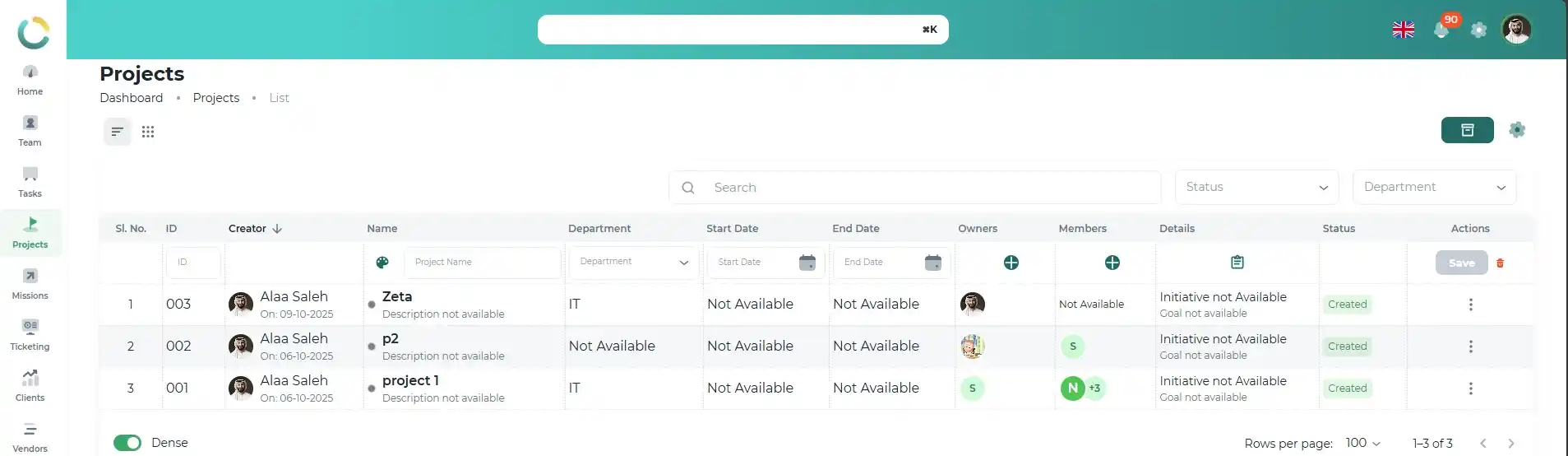
NOVOLOGS Project Dashboard

Capabilities

Everything needed to manage projects.
In one workspace.

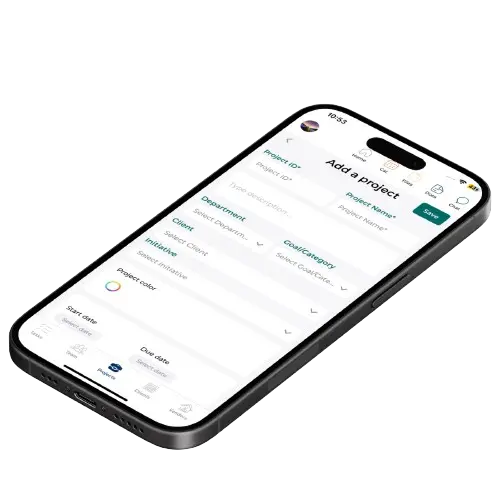
Project Creation

Launch projects with complete structure and visibility.

Create organized projects with scope, owners, timelines, priorities, stakeholders, budgets, and execution planning from the very beginning.

Project Planning

Dates, scope, owners, and status

Team Assignment

Stakeholders and responsibilities

Budget & Priority

Execution control and visibility

References & Files

Attach documents and requirements
Templates Departments Project visibility
Project Workspace
app.novologs.com/projects/create
NOVOLOGS Project Creation
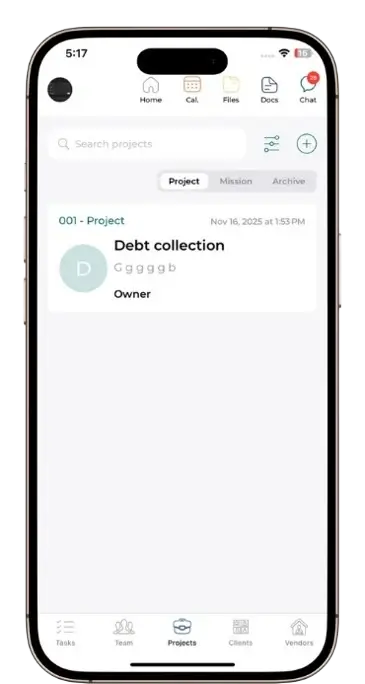
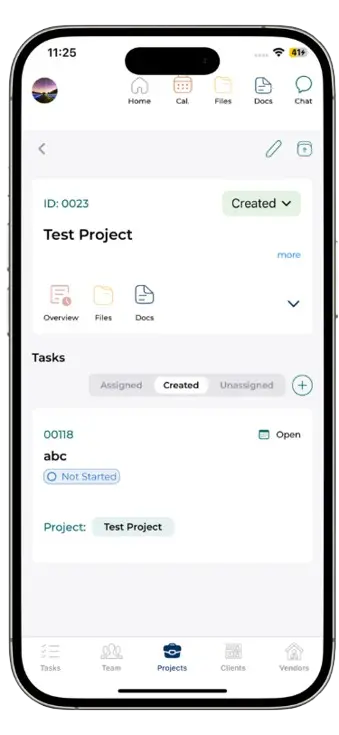
NOVOLOGS Mobile Project Creation
Mobile Project Creation

Create and manage projects from anywhere.

Launch projects, assign teams, attach files, and manage milestones directly from mobile with real-time synchronization.

Project planning

Create structured projects with timelines and priorities.

Files & references

Upload documents and project evidence instantly.

Real-time synchronization

Keep every update aligned across all devices.
Project Task Management

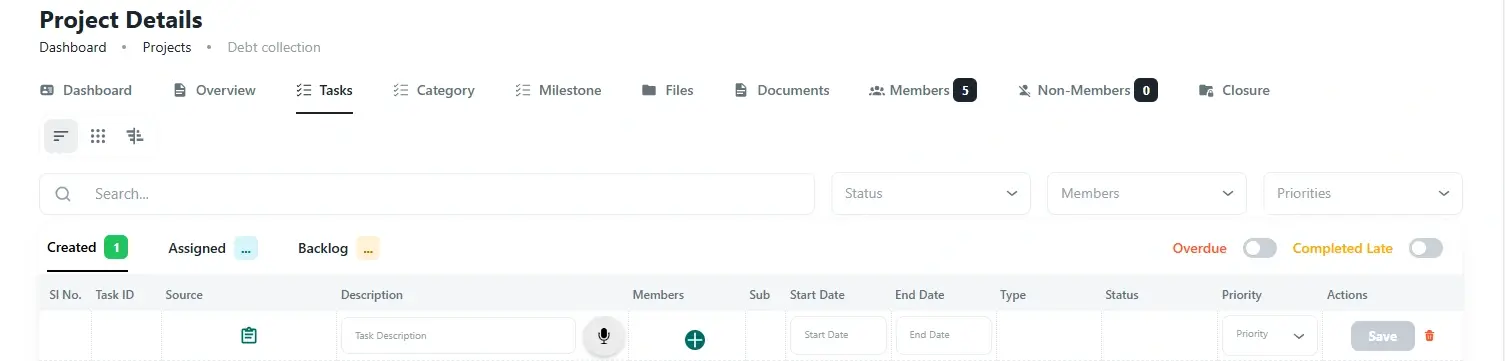
Turn project scope into accountable execution.

Break each project into clear tasks, subtasks, owners, priorities, deadlines, dependencies, and progress checkpoints.

Tasks & Subtasks

Break scope into clear actions

Owner Assignment

Assign teams, owners, and deadlines

Dependencies

Connect related work and blockers

Checklists

Control detailed execution steps
Progress tracking Milestone linked Activity history
Project Tasks
app.novologs.com/projects/tasks
NOVOLOGS Project Task Management
NOVOLOGS Mobile Project Task Management
Mobile Task Management

Manage project tasks directly from mobile.

Create tasks, assign owners, update progress, manage blockers, and keep project execution moving from anywhere.

Create tasks and subtasks

Break project scope into executable work.

Assign owners and deadlines

Give each deliverable clear accountability.

Track progress and blockers

Keep milestones, comments, and activity visible.
File Repository

Keep every project file organized and audit-ready.

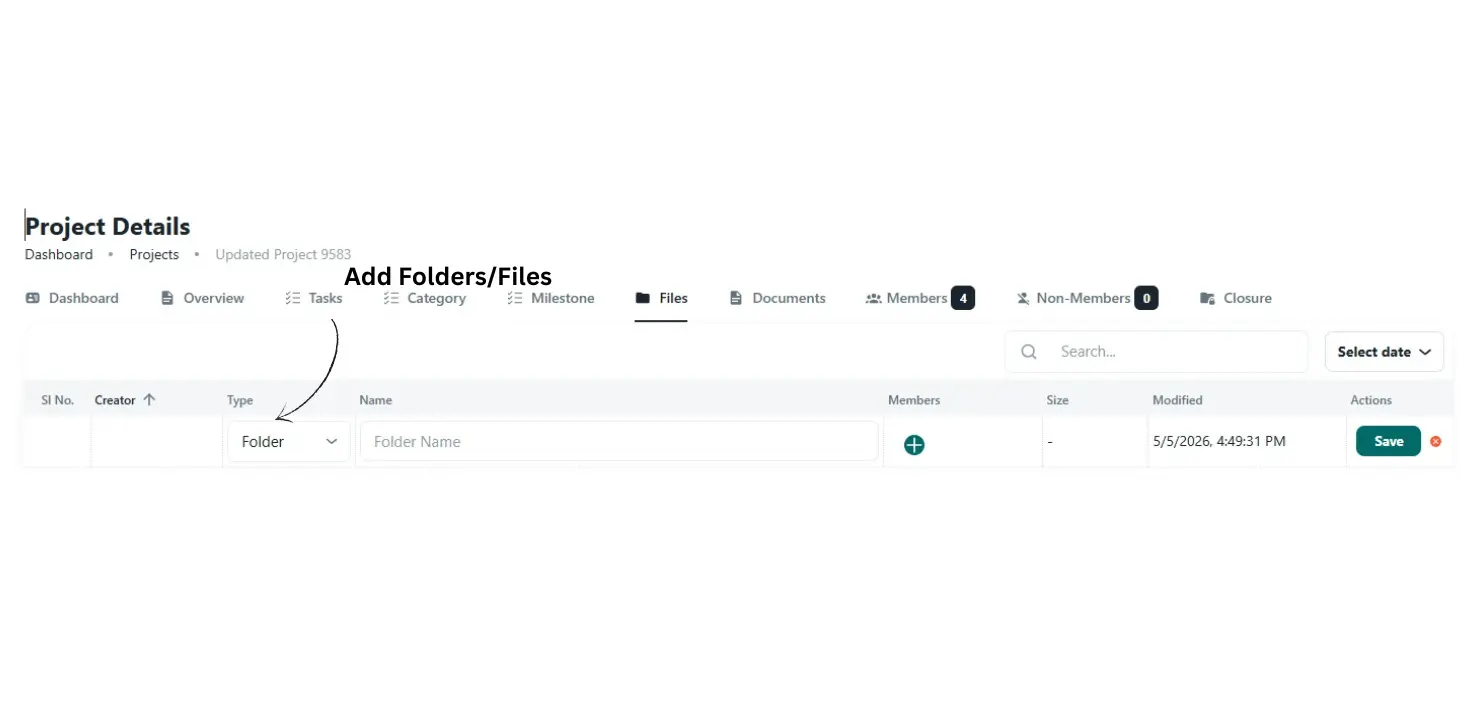
Store contracts, drawings, approvals, reports, meeting notes, references, and handover files directly inside the project workspace.

Central Repository

All project files in one place

Fast Uploads

Documents, images, and approvals

File Organization

Sort by phase or document type

Audit Evidence

Attachment history and records
Contracts Approvals Handover files
Project Files
app.novologs.com/projects/files
NOVOLOGS Project File Repository
NOVOLOGS Mobile File Repository
Mobile File Repository

Upload and access project files from anywhere.

Add documents, photos, approvals, reports, and handover records directly from mobile while keeping the full repository synced.

Upload from mobile

Add files, images, approvals, and reports instantly.

Organize by phase

Keep files structured by document type or project stage.

Maintain audit history

Keep project evidence accessible for closure and review.
Milestones & Collaboration

Keep project delivery aligned across teams and milestones.

Define milestones, connect deliverables, monitor execution progress, and keep every stakeholder aligned throughout the project lifecycle.

Milestone Tracking

Track planned delivery stages clearly

Task Linking

Connect deliverables and dependencies

Team Communication

Centralized project discussions

Notifications

Updates, delays, and reminders
Milestone reviews Live collaboration Delivery visibility
Project Files
app.novologs.com/projects/Add Milestone
c
Documentation & Closure

Document, review, and close projects with confidence.

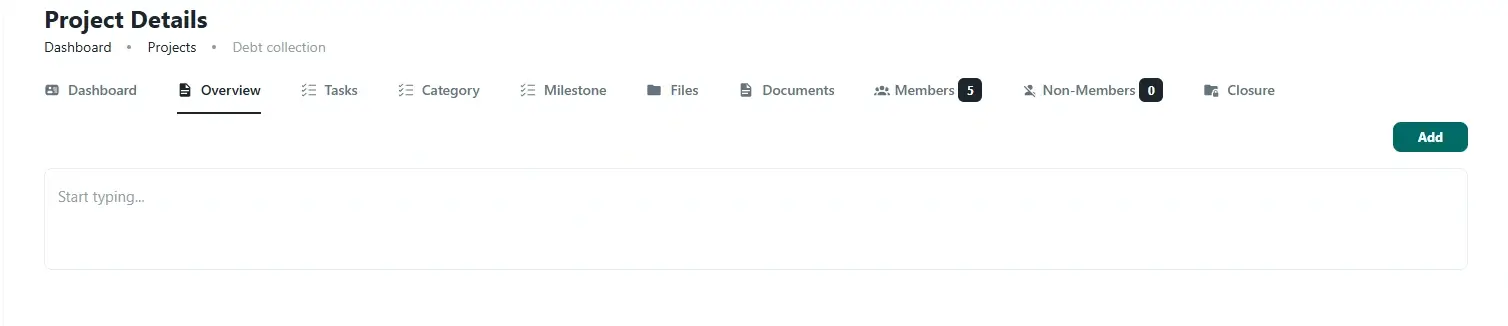
Maintain project documentation, closure notes, final deliverables, approvals, handover records, risks, and audit-ready reports in one place.

Project Records

Central documentation and files

Closure Checklist

Final deliverables and approvals

Handover Notes

Lessons learned and final status

Audit Trail

Reports, sign-offs, and history
Approvals Closure reports Risk visibility
Closure Dashboard
app.novologs.com/projects/documents
NOVOLOGS Project Closure Dashboard
Settings & Permissions

Control costing, configuration, and project access.

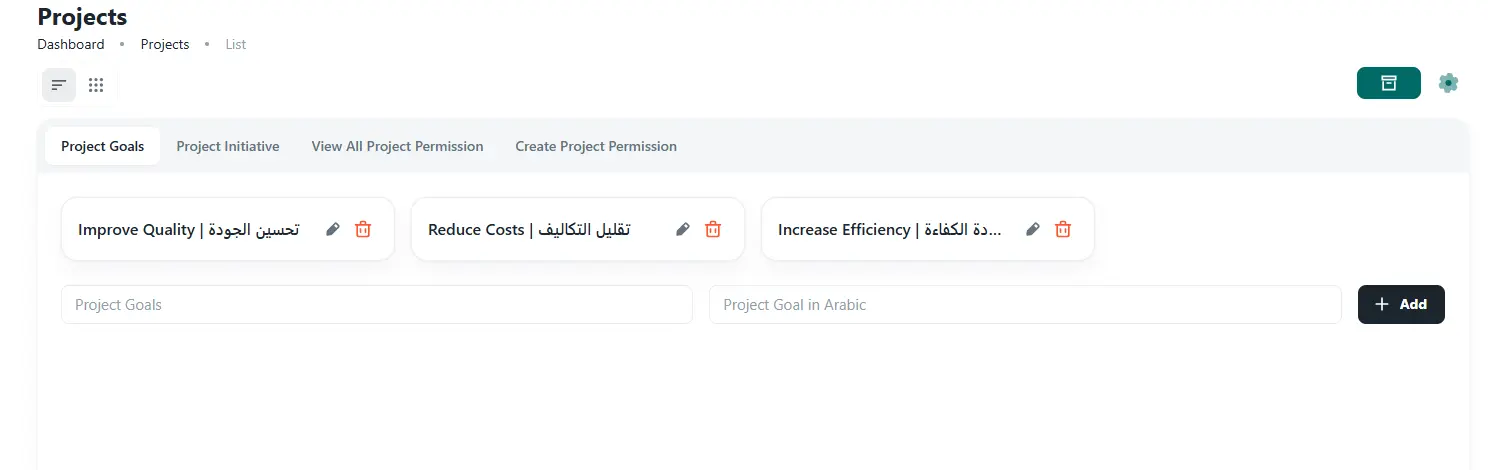
Manage budgets, categories, workflow phases, team restrictions, permissions, and project rules from one centralized admin configuration area.

Costing Setup

Budget, priority, and cost levels

Categories & Labels

Project grouping and classification

Workflow Rules

Phases, statuses, and project rules

Access Control

Role-based project permissions
Admin panel Team controls Permission rules
Admin Configuration
app.novologs.com/projects/settings
NOVOLOGS Project Settings Dashboard

From kickoff to closure in four steps

A structured project lifecycle for planning, execution, control, and closure.

1
Step 01

Create

Start a project with scope, owner, timeline, budget, and stakeholders.

Voice ready
2
Step 02

Plan

Break work into tasks, milestones, responsibilities, and delivery phases.

Multi-assign
3
Step 03

Execute

Track tasks, files, milestone progress, costing, and project activity.

Real-time
4
Step 04

Close

Document outcomes, finalize deliverables, and close projects properly.

Export ready

The actual NOVOLOGS
project workspace —
built for delivery.

See project progress, milestones, documents, tasks, costing, and closure status in one unified workspace. Available on web, iOS, and Android — always in sync.

Web App

All browsers

iOS

App Store

Android

Google Play

Encrypted

End-to-end

NOVOLOGS Dashboard

Works with every module

Project Management connects natively with tasks, documents, teams, clients, and reporting across NOVOLOGS.

Ready when you are

Stop losing project visibility.
Start delivering with control.

Manage projects from creation to closure with tasks, files, milestones, costing, documentation, and approvals — on every device.

No credit card Web, iOS & Android Arabic & English