Time Module

Track time, activities, notes,
and daily worklogs with clarity.

Monitor task-based time entries, daily timesheets, activity notes, calendar schedules, and work summaries across web and mobile.

8hDaily logs
100%Visibility
Faster review
LiveTracking
Time Tracking
app.novotak.sa/timesheet
NOVOTAK Time Tracking Web Dashboard

Capabilities

Every hour, activity, and note.
Tracked in one place.

Timesheets

Build clear daily and monthly timesheets.

Capture work hours by day, task, activity, and category so teams can review time usage without chasing manual updates.

Daily Timesheets

Daily, weekly, and monthly views

Duration Tracking

Track hours by task and activity

Daily Summary

Total logged hours at a glance

Search Records

Find entries for review and approval
Daily logs Monthly review Approval ready
Daily Timesheet 8h Logged
Project Planning 2h 30m
Task Execution 3h 15m
Review & Follow-up 2h 15m
NOVOTAK Mobile Timesheets
Mobile Timesheets

Submit and review timesheets from anywhere.

Employees can log daily hours, check totals, and keep timesheets synced across web, iOS, and Android.

Daily logs

Add hours by day and task.

Task duration

Track actual work effort clearly.

Live sync

Keep web, iOS, and Android aligned.
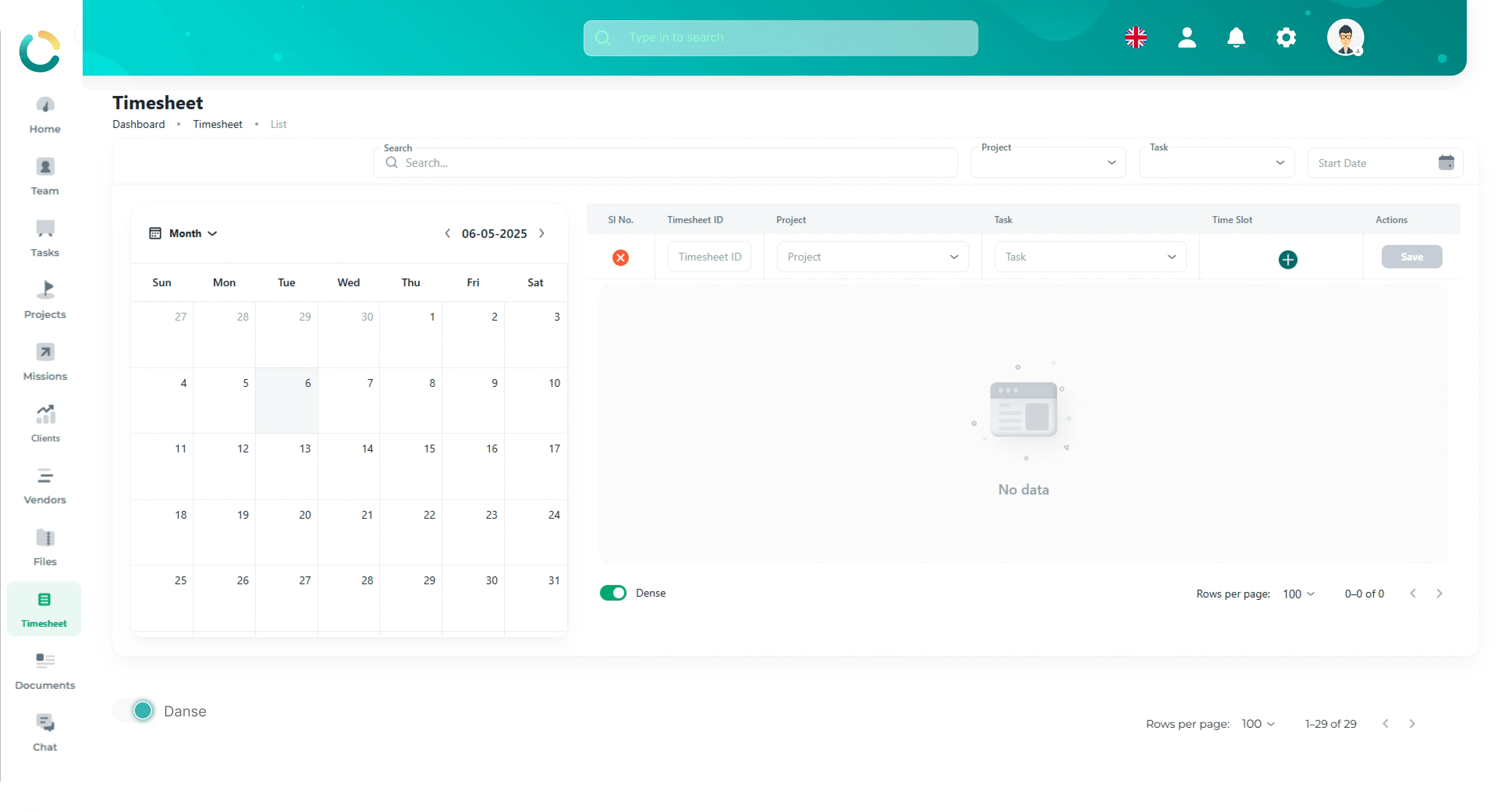
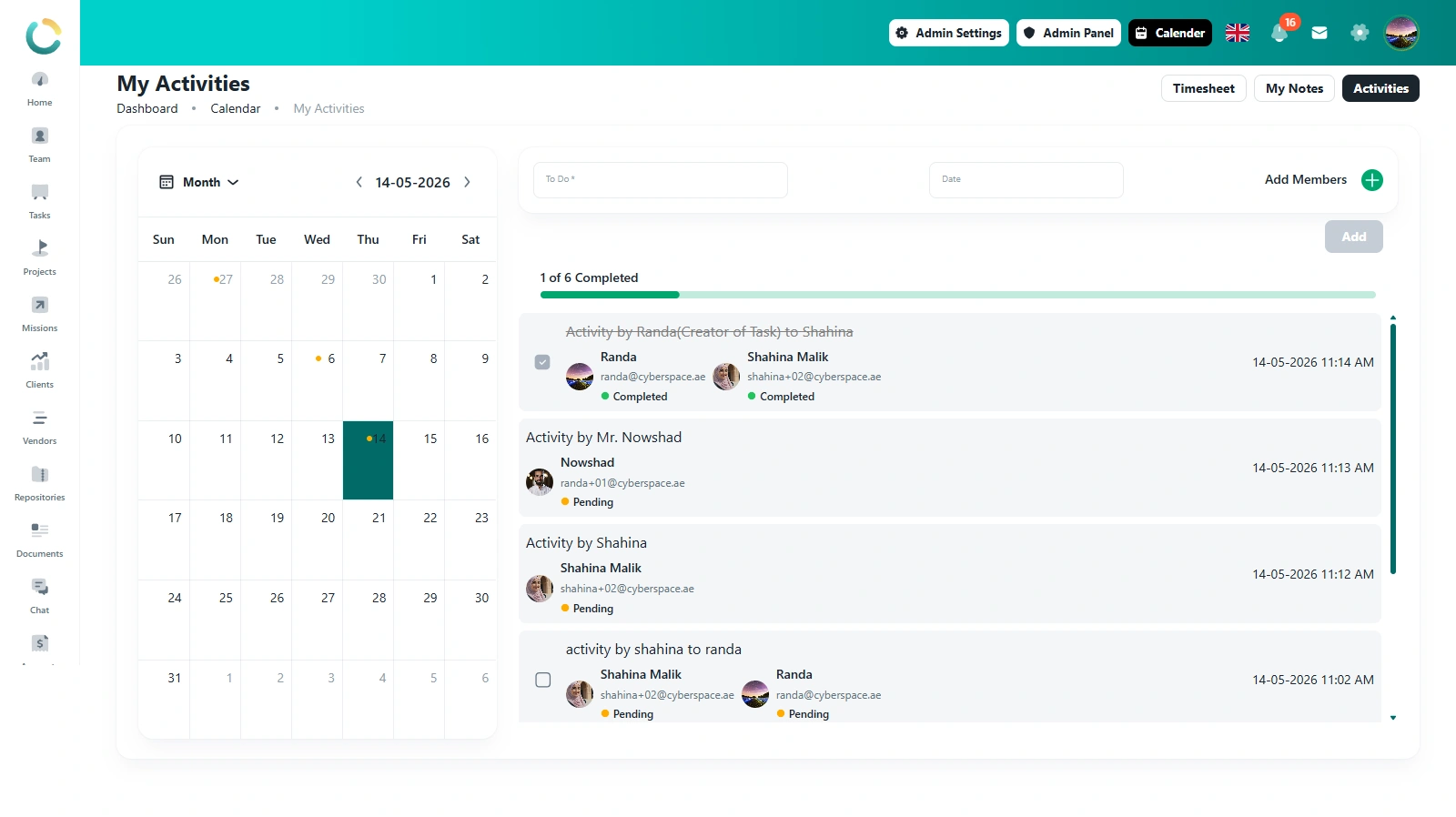
Timesheet Calendar

Select a date and manage timesheet entries from one calendar view.

Use the monthly calendar to choose a date, review task-based time rows, filter by task type, and save timesheet entries from a structured workspace.

Monthly Calendar

Select the working date from the calendar

Timesheet Rows

Track task details, type, slot, and date

Search Entries

Search existing timesheet records quickly

Task Type Filter

Filter timesheet rows by task type
Monthly calendar Task rows Search & filter
app.novotak.sa/timesheet
Timesheet My Notes Activities
Search...
Task type
Month 14-05-2026
Sun Mon Tue Wed Thu Fri Sat
26 27 28 29 30 1 2 3 4 5 6 7 8 9 10 11 12 13 14 15 16
Sl No.
Task Details
Task Type
Time Slot
Date
+

No data

Timesheet

14-05-2026

Today

Month

May 2026

S M T W T F S 10 11 12 13 14 15 16

Task entry

Task

Time slot and task details ready

Add row

+
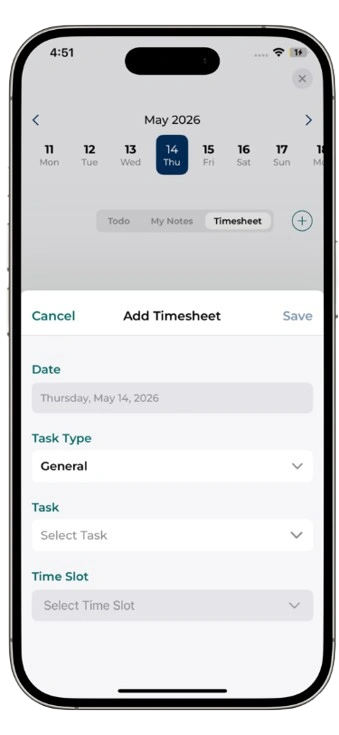
Mobile Timesheet View

Check timesheets and selected dates from mobile.

Mobile users can review selected dates, view timesheet rows, and check task-related time entries from the timesheet workspace.

Select dates

Review timesheet entries by selected date.

View rows

Check task details, type, time slot, and date.

Search entries

Find existing timesheet records quickly.
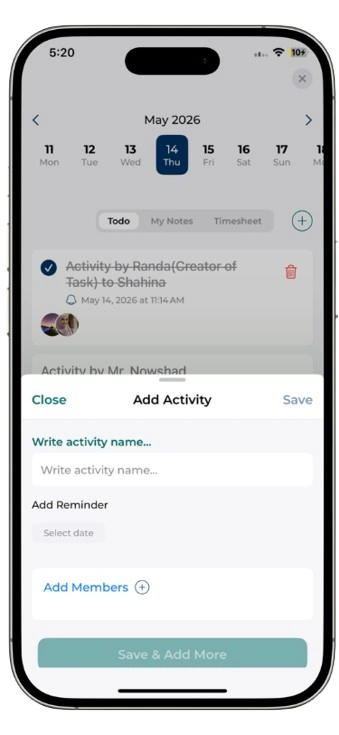
Task Time Entries

Add task-based time entries to the selected timesheet date.

Create timesheet rows with task details, task type, time slot, and date, then save the entry directly from the timesheet table.

Task Details

Add the work item or task information

Task Type

Select the correct task category

Time Slot

Set the working time period

Save Entry

Save each timesheet row after adding details
Task details Task type Time slot Save row
app.novotak.sa/timesheet/entries
NOVOTAK Task Time Entries Web View
NOVOTAK Mobile Task Time Entries
Mobile Task Entries

Review task time entries from mobile.

Mobile users can review task details, task type, time slot, and selected date from the timesheet workspace.

Task rows

View task details and task type.

Time slot

Check assigned time period.

Selected date

Confirm the date linked to each entry.
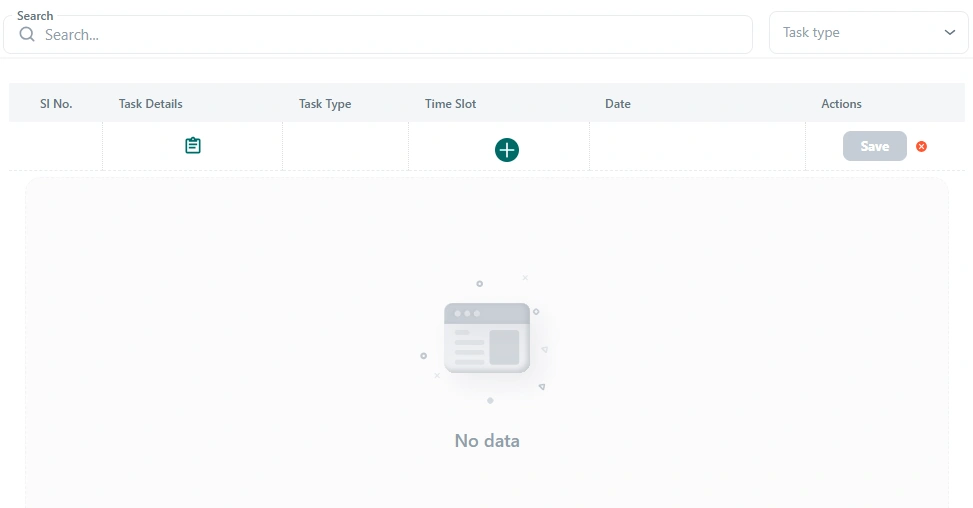
Web Search & Task Filter

Find timesheet entries faster from the web dashboard.

Use the web search field to locate timesheet records and filter entries by task type, helping users quickly narrow down task details, time slots, and dates.

Web Search

Find records by task details or related text

Task Type Filter

Filter entries using the task type dropdown

Filtered Rows

Review only matching timesheet rows

Date Context

Search within the selected timesheet date
Web search Task type Filtered rows
app.novotak.sa/timesheet/search
Timesheet My Notes Activities
Search...
Task type

Search

By keyword

Filter

Task type

Rows

Timesheet

Sl No.
Task Details
Task Type
Time Slot
Date
1
Task record
Task
+
14-05-2026

Filtered results

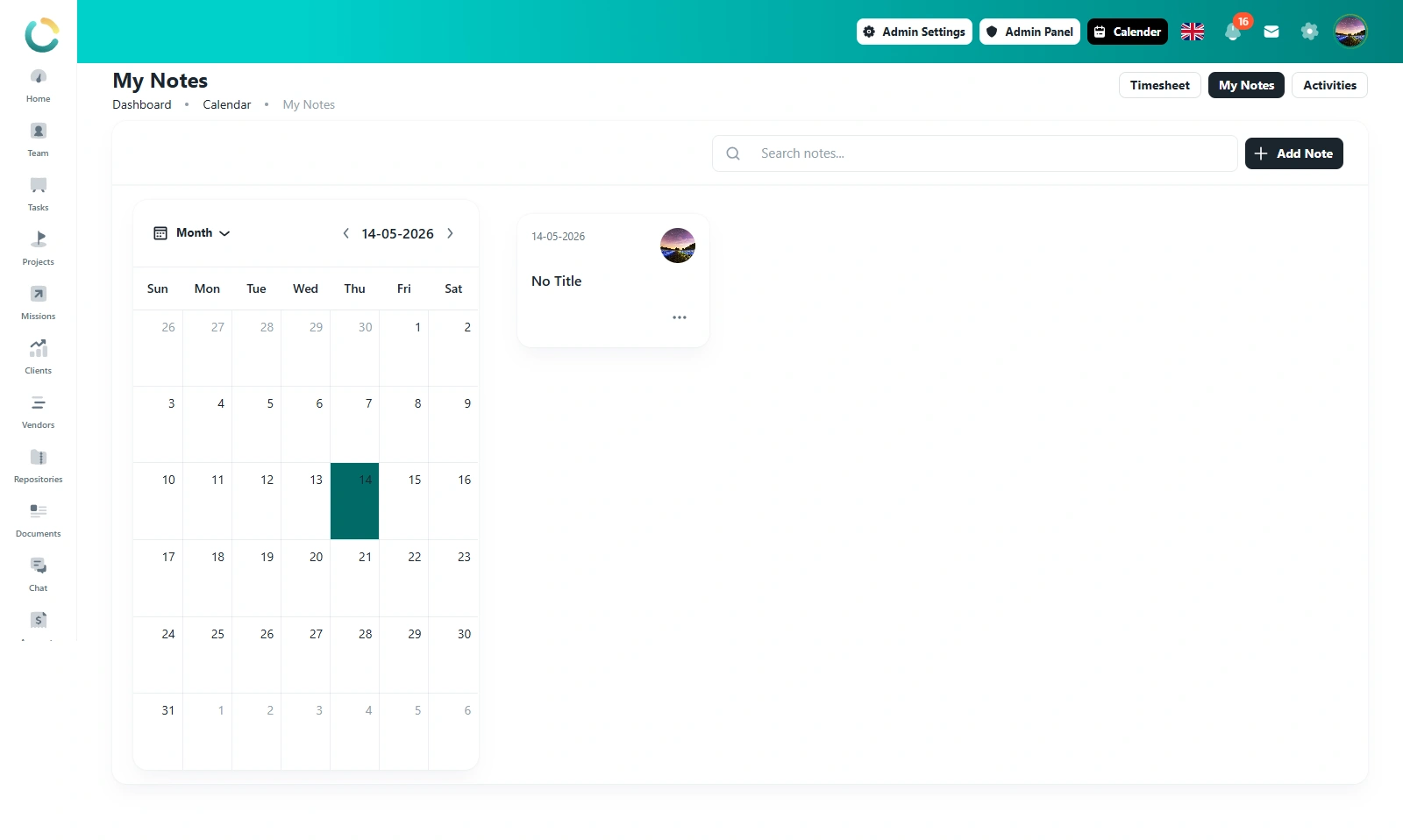
My Notes

Keep work notes connected to the selected timesheet date.

Use the My Notes tab to record remarks, blockers, follow-up points, and daily notes while staying inside the same timesheet workspace.

Daily Notes

Add notes for the selected workday

Blockers

Capture pending items and work blockers

Follow-up Actions

Record next steps after work updates

Search Notes

Find saved notes from the notes view
My Notes Blockers Follow-ups
app.novotak.sa/timesheet/notes
NOVOTAK My Notes Web View
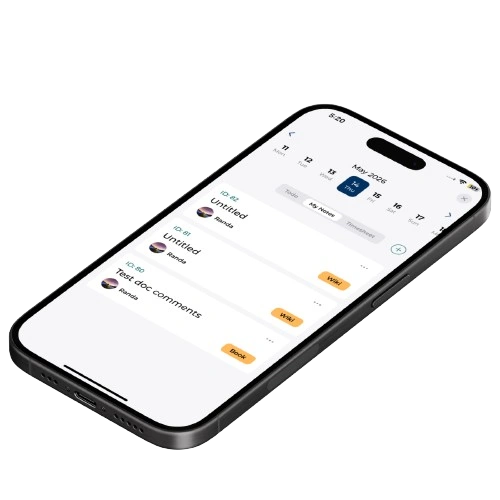
NOVOTAK Mobile My Notes
Mobile Notes

Add and review notes from mobile.

Mobile users can capture work notes, blockers, and follow-up points while reviewing their timesheet context.

Add notes

Capture work remarks and updates.

Track blockers

Record pending work and issues.

Follow-up actions

Keep next steps visible.
Timesheet Actions

Add, save, and manage timesheet rows with clear actions.

Use row actions to add task time entries, save timesheet details, remove incomplete rows, and keep the selected date’s timesheet clean and organized.

Add Row

Add a new task time entry to the table

Save Entry

Save the completed task time row

Remove Row

Clear or remove an incomplete entry

Manage Rows

Keep all timesheet entries organized
Add entry Save row Remove row
app.novotak.sa/timesheet/actions
NOVOTAK Timesheet Actions Web View
NOVOTAK Mobile Timesheet Actions
Mobile Actions

Manage timesheet actions from mobile.

Mobile users can review timesheet rows, check available actions, and manage entries based on the selected date and access.

Add entry

Create a new timesheet row.

Save row

Save completed timesheet details.

Remove row

Clear incomplete or unwanted entries.

From work done to time reported

A simple flow for logging, reviewing, and reporting daily work.

1
Step 01

Log

Add task time, activity entries, notes, and daily work details.

2
Step 02

Organize

Connect entries to tasks, projects, activities, and calendar dates.

3
Step 03

Review

Review total hours, missing entries, notes, and daily summaries.

4
Step 04

Report

Generate clear summaries for management, HR, finance, and operations.

A clear dashboard for
daily work visibility —
not scattered spreadsheets.

See logged hours, activity distribution, notes, and calendar-based records from one unified module.

Time Entries

Worklogs

Calendar

Daily view

Notes

Context

Reports

Export ready

168h

Logged

24

Activities

92%

Utilized

Task Work64%
Meetings22%
Admin Activities14%

Works with every module

Worklog & Timesheets connects with tasks, projects, teams, reports, and approvals.

Ready when you are

Stop guessing work hours.
Start tracking with clarity.

Give your team a simple way to log work, track activities, and generate reports without spreadsheet chaos.

No credit card Web, iOS & Android Activities & notes